Reminders
The Reminders widget shows reminders added on entities pages. Colors are used in the widget to show the various statuses of reminders: green — current (within one day of the reminder date), gray — done, red — overdue. Click the reminder to open an entity’s page.
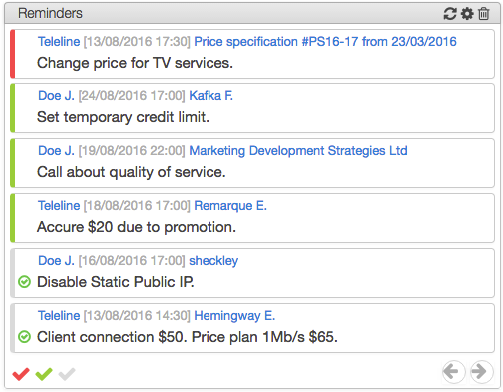
Using the colored buttons in the lower left corner of the widget, you can filter the reminders according to their status. Use the arrows to change the pages. You can mark or unmark any reminder as done by clicking  or
or  respectively.
The widget settings window allows you to set various parameters to show reminders. For this example, the following parameters were set: the reminder type Comments (seven comments per page), created by all users for any entities and the due date of reminders falling within the date range (see an example below).
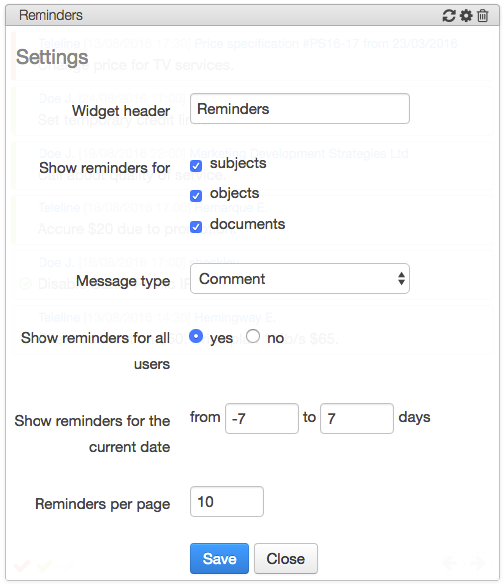
If no is selected for Show reminders for all users, only the reminders added by the current user will be shown.
In order to see messages of different types, you can add several widgets: one for each message type.
Click Save, and the widget updates the information shown according to new settings.