Creating a Contract
Create a contract of the required type from the menu or corresponding registry. A service contract can also be created at a customer's page.
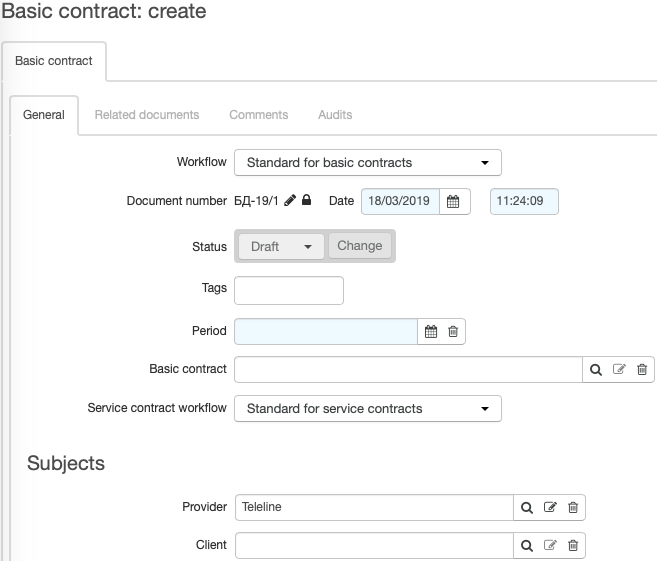
Choose Workflow, enter Date of the document (otherwise, the current date will be used).
Enter Period during which the document is to be in force (by default, Date is used as the start date of the period, and the end date is left empty).
For a basic contract, you can enter Service contract workflow — one of the workflows for service contracts. This workflow will then be used for choosing a basic contract when creating a service contract.
If necessary, enter a valid Basic contract.
By default, when creating a service contract, the first found basic contract that has the workflow of this service contract in Service contract workflow is used as Basic contract. If such a contract cannot be found, the system searches for a basic contract that is valid for the customer's main group (when creating a contract on the customer's page). However, you can enter a contract different from the one suggested by the system, as well as a basic contract that has a different workflow entered in Service contract workflow or just a dash, or a contract that is valid for a group the customer does not belong to.
In Provider, enter the service provider (the current division is used by default). Client in a basic contract is a group of customers. This group is used for selecting a basic contract when creating a service one (see above). Client in a service contract — a customer or a provider that receives services.
Click Add. Now the contract is created and you can edit it by changing its status or adding documents to its contents.