How to Manage Contract Plans
In this section
Providers use contract price plans when a customer connection to a service is too expensive. For example, when additional equipment (a WiMAX modem, an IPTV set-top box, an LTE router, etc.) or some labor-consuming cabling works are required. Thus, a customer has an opportunity to cover these expenses gradually within a subscription fee. And at the same time, the customer is to follow an additional contract commitment to pay timely for the service during a certain contract period.
If a customer is late with a payment, then the provider charges penalties, and, over some time, terminates the commitment. So the customer is to pay a fee to the provider for the early termination. Similarly, the customer is to pay the fee in case he or she stops using the contract price plan voluntarily. Such measures help secure the fulfillment of the commitment and reduce customer churn.
And if the customer pays for the service in time, he or she pays off a commitment amount over the contract period (the cost of equipment or connection). Then the commitment is considered fulfilled, and no penalties are charged even in case of late payments.
As the subscription fee for a contract price plan is closely connected with the payment of the commitment amount, it is impossible to change a price plan during the contract period. A customer is allowed to change the price plan (in the Customer Self-Care Portal or via the operator) strictly after the fulfillment of the contract commitment.
Before adding contract price plans, consider the following:
-
customers they are to be available to;
-
the duration of the contract period, when a customer is to pay for the services in time and is not allowed to change the price plan;
-
the amount of the contract commitment;
-
contractual remedies to be used;
-
if the commitment is to be terminated early in case of the customer's non-payment.
Contract price plan parameters — a period, an amount, contractual remedies — are set up in contract terms. Certain tags are also specified in terms to identify the services these terms are applied to.
Contract terms are usually set up in a basic contract. They are valid for customers, whose service contracts are connected to this basic one.
Contract terms can be set up in service contracts too. Such terms are regarded as individual.
When you choose a service for a subscription, Hydra Billing checks if there are contract terms specified for it. If yes, the terms' name is shown in the Contract terms column. To view the amount and the duration of the commitment, point to the icon next to it.
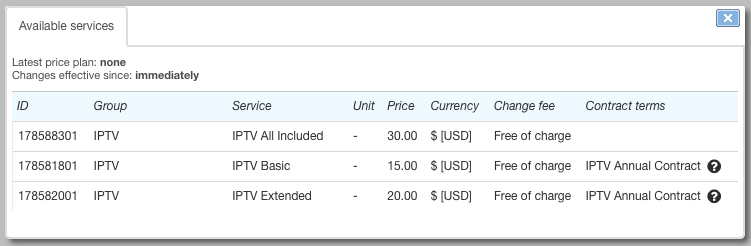
When creating a subscription, a contract commitment is made for a customer with the parameters as specified in the terms. The commitment is to be in force only for this subscription, and it is impossible to change the subscription during the contract period.
Having permissions for managing contract commitments, you can change piece of equipment using a special action. To change other subscription parameters, you need to carry out early termination of the contract commitment, or wait till its fulfillment by the customer.
The contract commitment is shown in the corresponding section of the service contract. There you can see when the contract period is to be over, and the remainder of the commitment amount.
The fulfillment of the commitment is monitored by the special task — Monitoring overdue receivables. When the commitment is fulfilled (the amount is fully paid), the contract subscription can be closed, and then the customer is allowed to change the price plan.
When the contract period is over, the subscription is still in force. The customer uses the contract price plan until he or she changes it for a new price plan in the Customer Self-Care Portel or via the operator.
Commitment Statuses
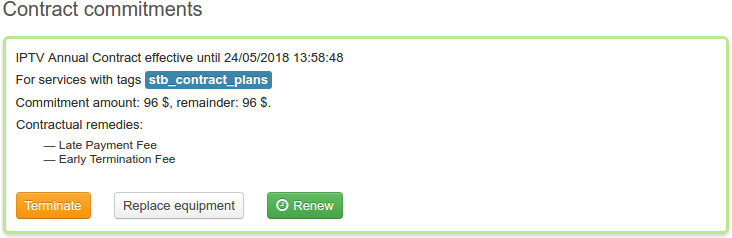
A contract commitment is created having an Active status. On the contract page it is outlined in green.
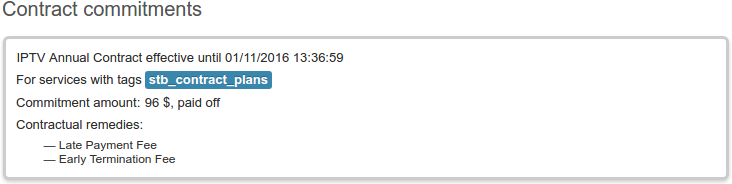
The commitment is transferred into Fulfilled status at the end of the contract period, when a customer has fully paid the commitment amount. The fulfilled commitment is outlined in grey.
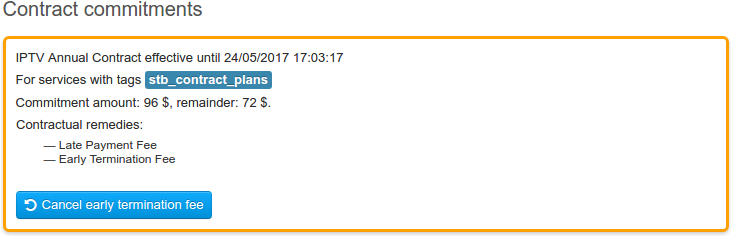
A commitment in force is transferred into Awaiting payment status when terminated early, on the condition there are unpaid receivables left. For example, when a customer is late with the next payment, and the period specified in Days until termination is over, so the commitment is terminated automatically. Or when the commitment is terminated manually during renew or equipment replacement, but a customer still has receivables to pay off.
The commitment awaiting payment is outlined in orange.
A commitment is Canceled if it is terminated during the trial period. Canceled commitments are outlined in grey.
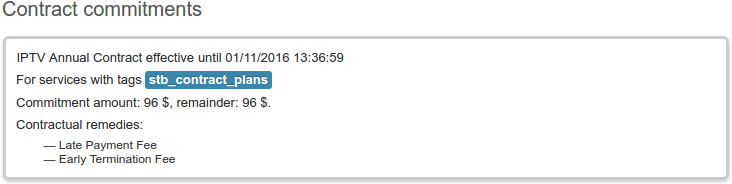
Depending on the commitment status, certain actions can be taken.