Payments and Charges
On the Payments and charges tab, you can see operations on customer accounts.
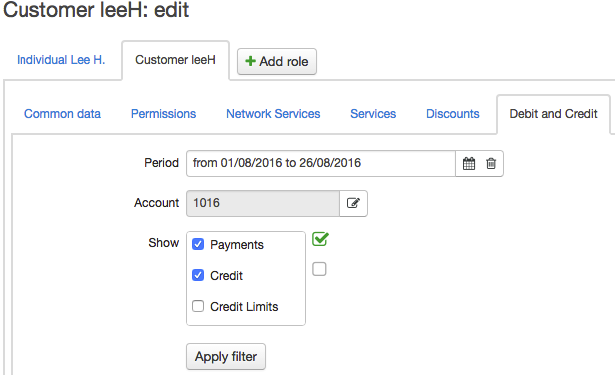
Enter the time period for operations to be shown in the report, the customer account (if more than one) and the types of operations: payments, charges, or granting credit limits.
To find a certain transaction, select the Payments check box and enter the unique transaction number in Transaction ID. You can find this number in the money transfer confirmation (for example, a check or a bank statement). Depending on the payment system or the bank, it can be called a transaction code, an operation code, and so on.
Click Search to see the account history.
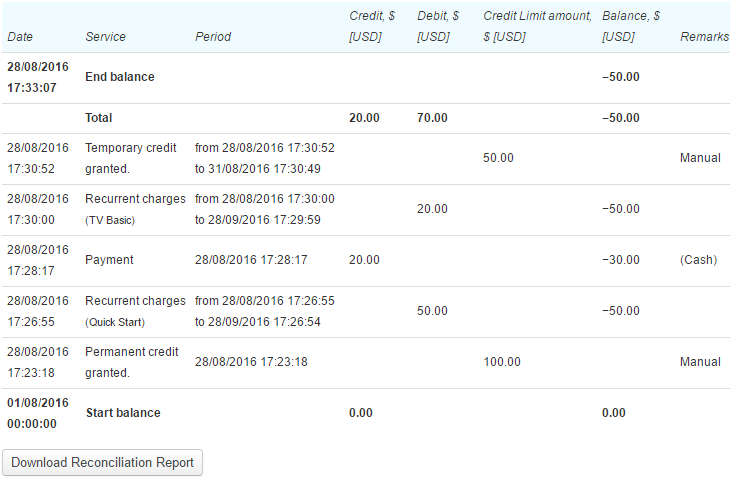
In the Qty. and Unit columns, there is information about charges for quantitative services. In the Period column, you can see the service charging period or the credit limit period.
If you click the row with payment, the payment document will open, and by clicking the row with service charge, you can view the corresponding charge log.
Click Download reconciliation report to download a statement that lists the movements of funds on the customer account. To do so, you should add a template first. If there is more than one template, you should choose one of them.