Permissions
In this section
See also
Open the Permissions tab to view or edit permissions attached to a role. Permissions are grouped into sections depending on the entities they grant access to: subjects, objects, documents, etc.
Two types of access are used for permissions: View (i.e., you can view all parameters of an entity) and Write (i.e., you can edit it). A permission to write includes viewing too.
With a certain provider specified in the Division column, a permission is applied to only this provider's entities. All in the Division column means that a permission is applied to entities of divisions a user has access to. Accessibility of divisions depends on whether the user has the Access to subsidiaries permission (the Organization section) or not: if he or she has the permission, the user can access entities of the current division and its subsidiaries, if not — only entities of the current division.
When configuring permissions, you need to specify an application to work with, for example, the Service Provider Console, or the Remote Procedure Call. When a certain permission is granted to a customer (directly or via a role), a database user related to the application is automatically granted the Oracle role containing certain privileges. Thus, database users permissions are configured automatically on the basis of permissions granted to customers. Typically, roles contain permissions related to the Service Provider Console application.
Subjects
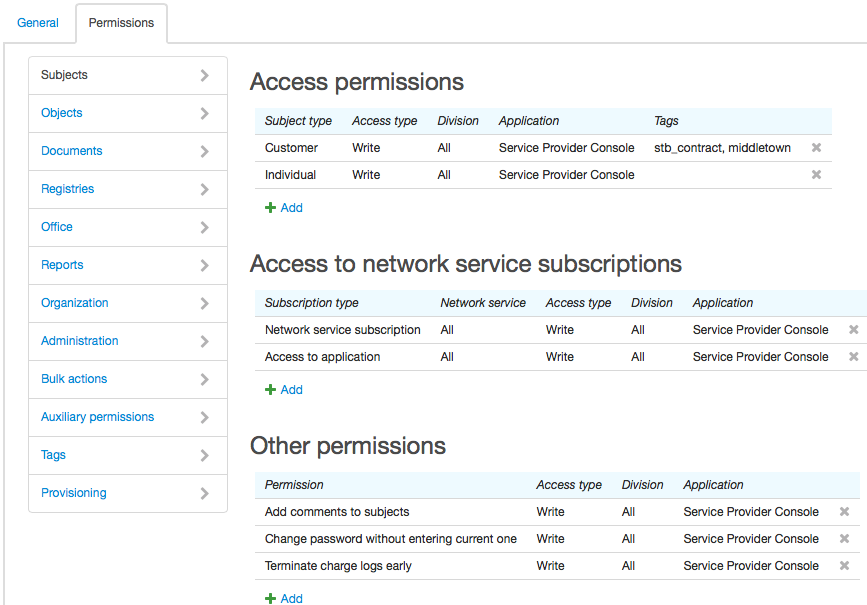
Use the Access permissions table to grant permissions to view and edit subjects of different types. Access to subjects can be further restricted by tags. If a set of tags is specified for a certain subject type the user can view or edit only subjects of this type that have all the listed tags. In the example above, the user can access only the data of the customers marked with both tags: stb_contract and middletown (a customer may have other tags apart from these two).
To allow access to subjects with different sets of tags you should add a separate row for each set into the table. A row without any tags has a higher priority: when the user is granted access without any tags rows with tags are ignored.
In the Access to network service subscriptions table you can permit the user to subscribe customers to network services or give them access to applications.
The Other permissions table is used to grant other permissions concerning customers: a permission to terminate charge logs early, or to add comments and edit comments added by others, to view and change passwords, etc. Also, here you can manage the permissions to work with contract price plans.
Objects
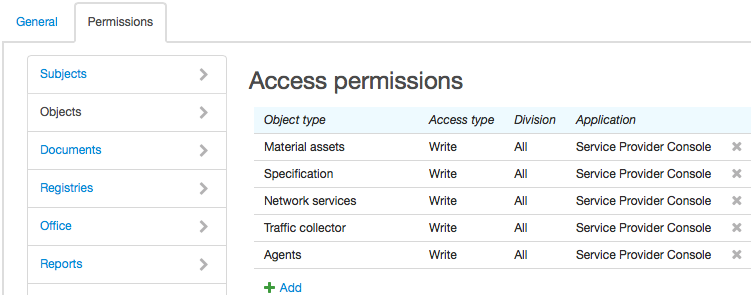
In this section, you can manage permissions to access objects. In the Object type column, a section or a group of the product catalog is specified. The permission is valid for all objects created on the basis of entries from this section or group. In order to have access to object components, use the Specification object type.
Documents
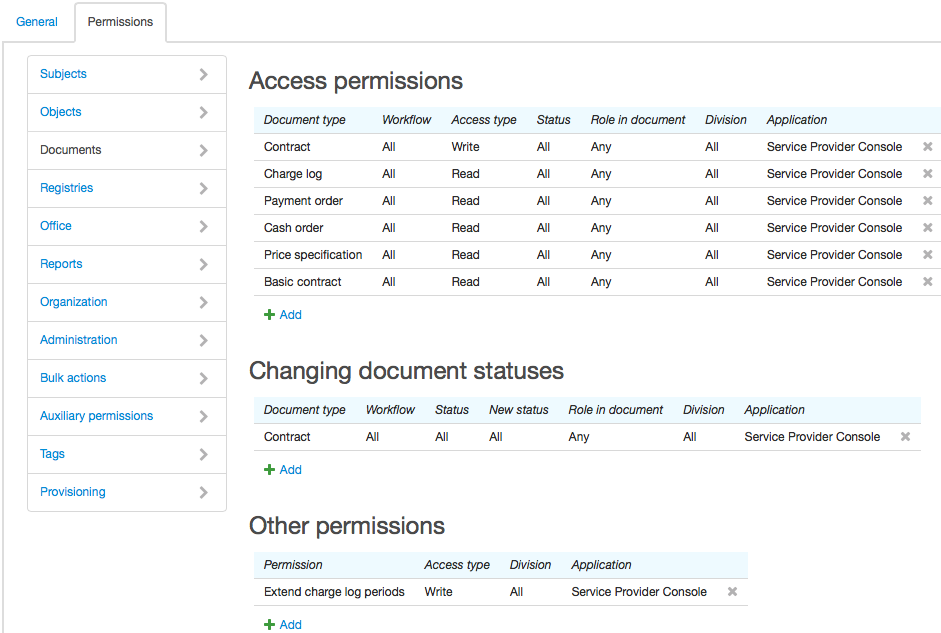
Use the Access permissions table to grant permissions to view and edit documents. A permission can be granted in terms of a document type, a workflow, or a document status. Besides, you can restrict access by a role in a document in which the user or a related subject is to act. Such subject can be: a group the user belongs to, a user's basic subject (an individual or organization) or a related employee.
A separate table contains permissions to change document statuses. You can grant a permission with a certain document type, workflow, role in a document, and current and new statuses.
Permissions to change document statuses are taken into account regardless of access permissions. If the user has a permission to change statuses, he or she can actually do it having only the permission to view a document but not to edit it. On the contrary, without the permission to change statuses the user cannot change it even if he or she has the permission to edit the document.
Use the Other permissions table to grant the Extend charge log periods or Adjust balances permissions. The Extend charge log periods permission together with the permission to edit charge logs allows extending charge log periods.
Registries
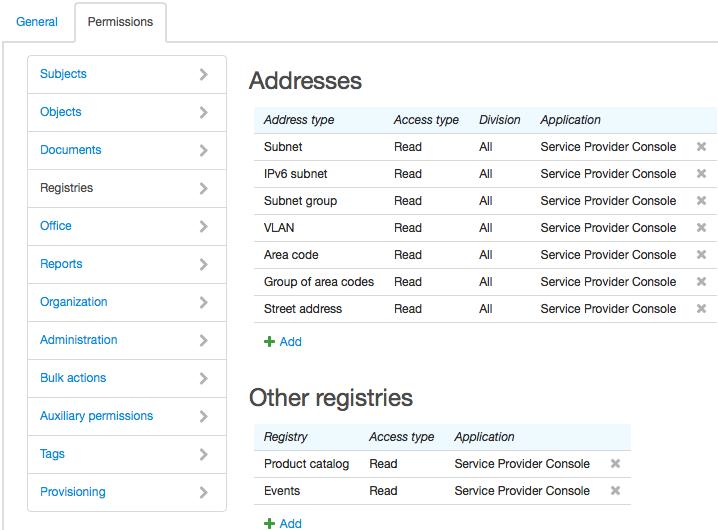
In this section, you can set up access to addresses of different types as well as to other system registries: product catalog, reference data, CDRs registry, events and tags.
The regions registry is accessible only with the permission to view addresses of the Street address type.
To be able to bind an address to an object or a subject the user is to have the permission to view addresses of the corresponding type.
Office
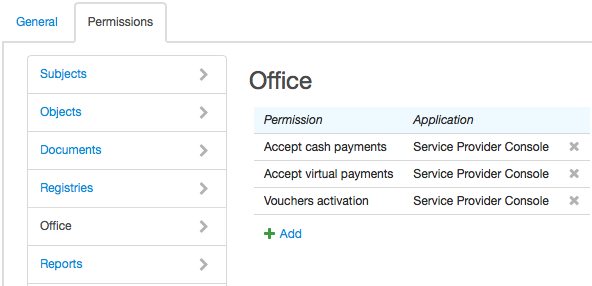
Use this section to grant permissions to perform such operations as vouchers activation and accepting payments.
Reports
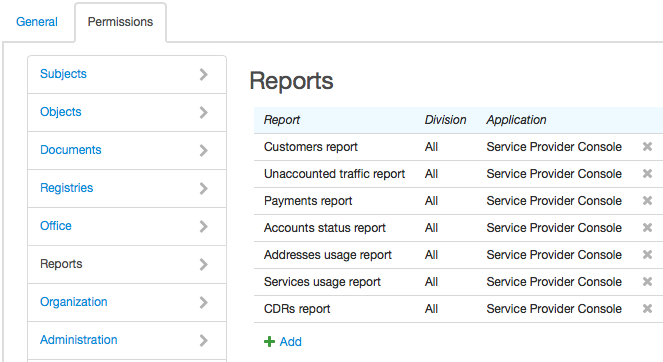
Use this section to manage permission to build reports of different types.
Organization
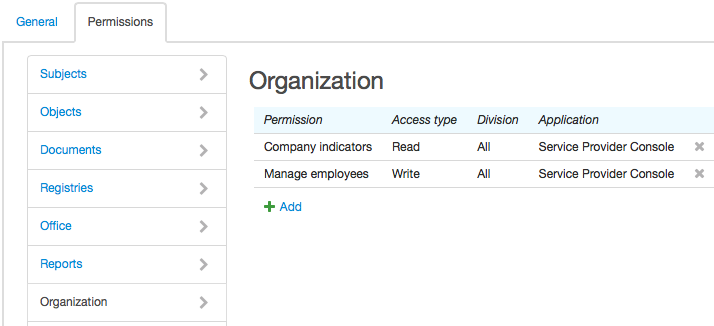
Use this section to grant permissions to work with employees, the organizational structure, and subsidiaries. Also, here you can grant the permission to view business indicators.
Administration
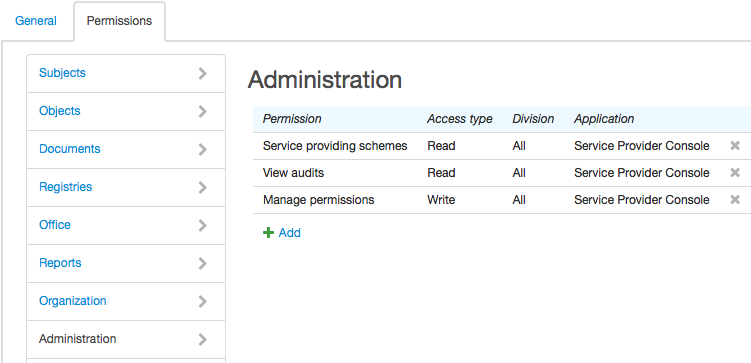
Use this section to grant permissions to view and edit service providing schemes, workflows, scheduled tasks, various parameters and permissions. Also, here you can grant the permission to view audits and the System developer permission that allows viewing SQL queries.
The System administrator permission allows managing autonumbering, print templates, and locales.
Bulk Operations
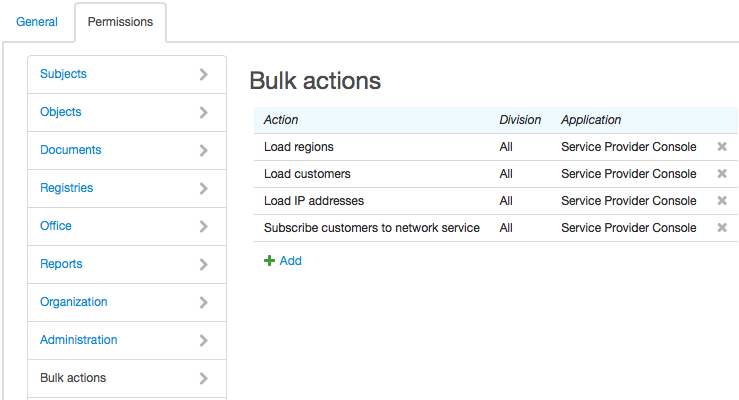
Use this section to grant permissions to perform bulk operations: load addresses, phone numbers, customers, and equipment; create invoices, make refunds, export invoices, subscribe customers to network services.
Auxiliary Permissions
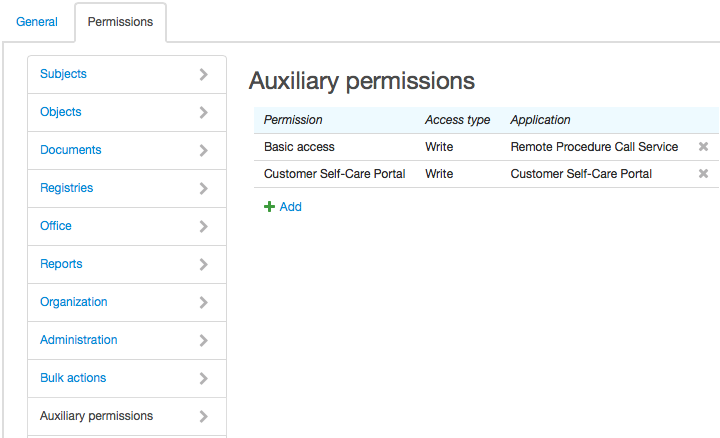
Auxiliary permissions are used to grant necessary privileges to database users connected with an applications specified in the table.
Typically, permissions in this section are granted to certain auxiliary customers rather than roles. For example, in order to grant access to necessary database objects (packages and views) to AIS_USER_OFFICE database user connected with the Customer Self-Care Portal you can simply grant the Customer Self-Care Portal permission for the Customer Self-Care Portal application to at least one customer.
Tags
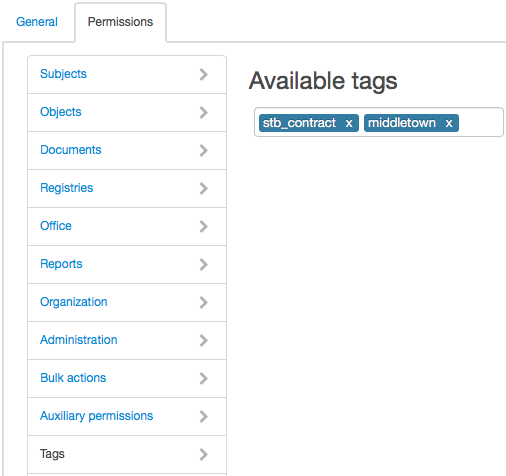
Use this section to specify a list of tags that the user can set to different entities or apply when searching. Other tags from the registry are available for viewing only.
The user with the System administrator permission can use any tags regardless of those specified here.
Provisioning
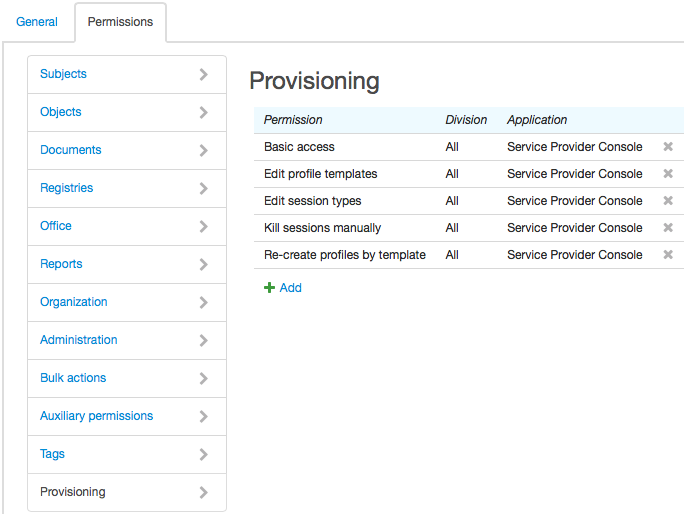
In this section, you can grant permissions to view and edit provisioning settings (profile templates and session types), to re-create profiles by templates and forcibly terminate certain active sessions.