Registering an Individual
To add a new individual:
-
on the Master Data menu click
 next to Individuals:
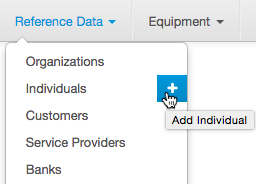
-
or on the Master Data menu click Individuals to open the Registry of individuals, then click
 Add.
Add.
Enter the details for a new individual.
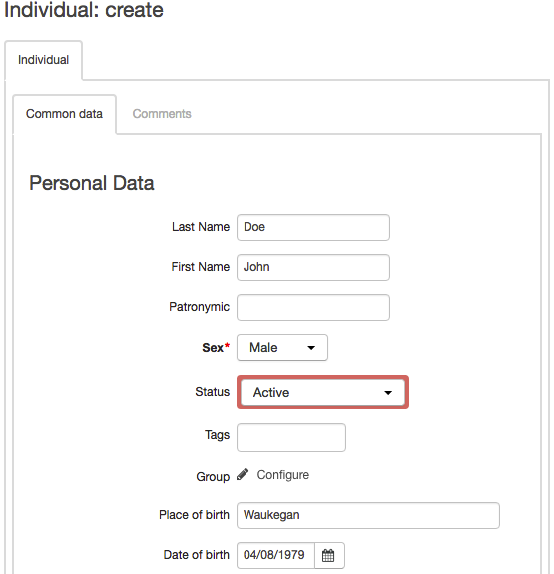
In the Personal details section enter the individual's surname, name, middle name, sex, place and date of birth and also choose the status and the group the individual belongs to.
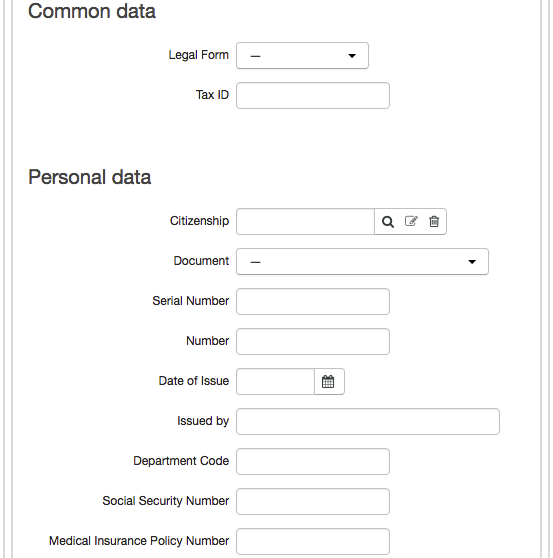
You can also enter the following information about an individual:
-
Legal form — in most cases it is not specified, which means you select "—", (the default value). The box is used to refer to individual entrepreneurs, who are ranked with individuals according to Russian law;
-
Tax ID.
You can also add the individual's legal personal details.
To add comments about an individual, click Write, in the Other section. If you want to hide notes, click Hide.
Click Add at the end of the page.