How to Manage Regions
Filling in the registry of regions includes the following steps:
Step 1. Creating a Federal Hierarchy
By default, there is the All group inside the registry of regions. Firstly, you need to add federal regions, in which you provide services. See an example of a service provider for the city of New York. According to the general rule for postal address format, in the All group of the federal hierarchy, you need to add a region USA of the type Country, and a child region New York of the State type inside it. Consequently, inside the New York region, add a child region New York of the City type.
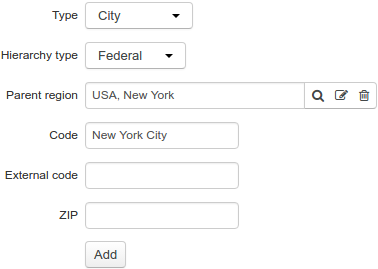
Further, to the New York City region, you add regions of the types Street, Avenue, Boulevard, and so on, with child regions of the Building type. Similarly to the New York City region, add other federal regions (you can use loading regions from the file).
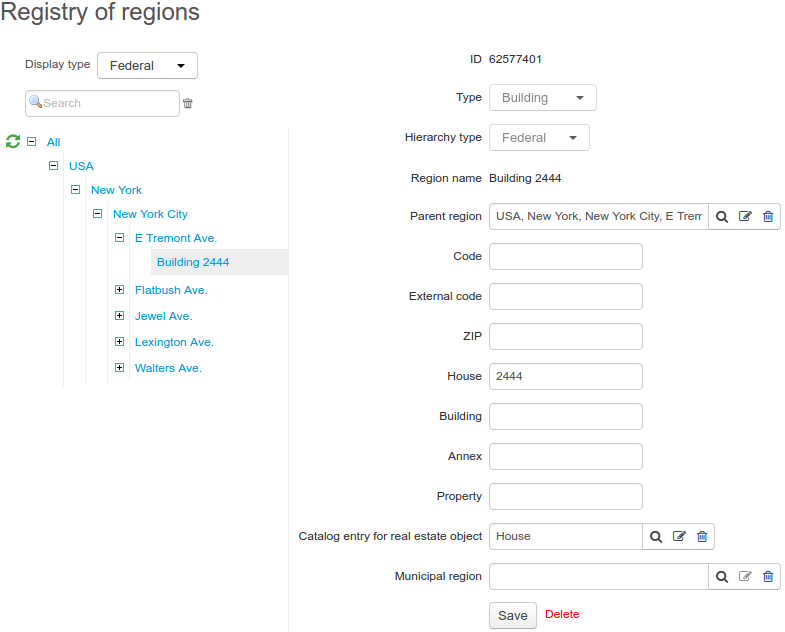
Step 2. Creating a Municipal Hierarchy
Choose a federal region to create municipal subdivision for it. As a rule, such subdivision is specified for regions the City type. In the example below, see creating a municipal subdivision for the New York City region, into districts, then districts into blocks. To do so, inside the federal hierarchy, choose New York City and add a child municipal region Manhattan of the Borough type.
You should not create municipal subdivisions for a federal region, if its parent or child regions already have other municipal subdivisions.
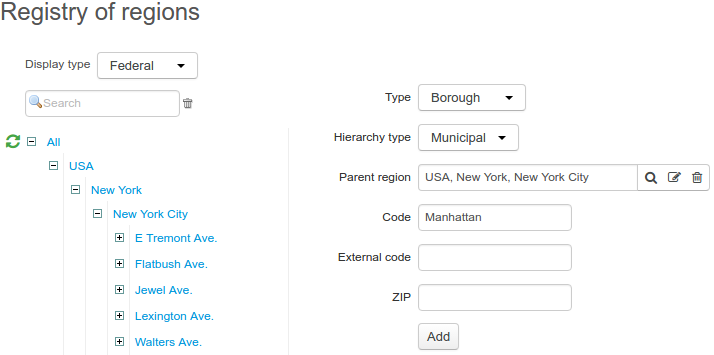
Go over to the municipal hierarchy. After adding the municipal region Manhattan, the New York City federal region will be shown in the municipal hierarchy together with its parent regions.
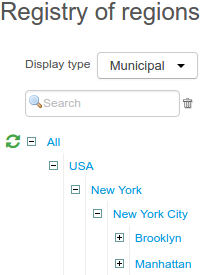
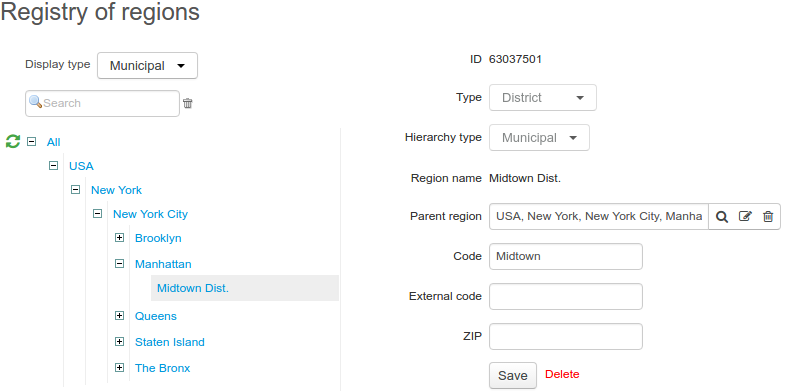
Now in the municipal hierarchy we add a child region Midtown of the District type to the municipal region Manhattan. Then we similarly add the rest of the districts.
Do not create regions of the Building type in the municipal hierarchy.
Step 3. Binding Federal Regions to Municipal Ones
Note that binding federal regions to municipal ones is done only via federal regions of the Building type. Doing so, you can bind a building to only one municipal region.
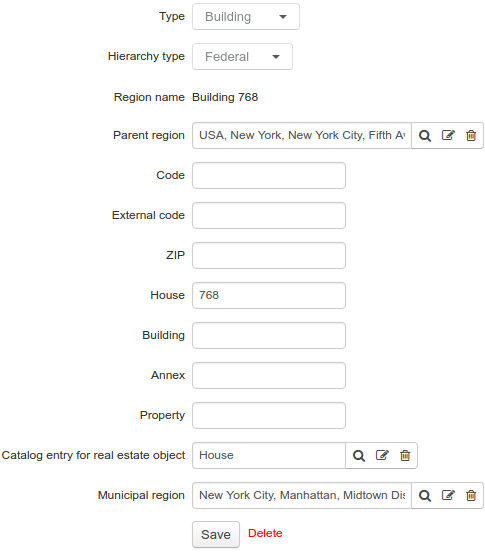
In the example below, the building 768 on Fifth Avenue belongs to the Midtown district of the Manhattan region. To specify such a correspondence in the system, you need to open the Building 768 federal region and fill in Municipal region with Midtown region, then click Save.
In the municipal hierarchy tree, the Midtown region is shown with Building 768 of the Building type as its child federal region, with the same parameters except for missing Parent region.
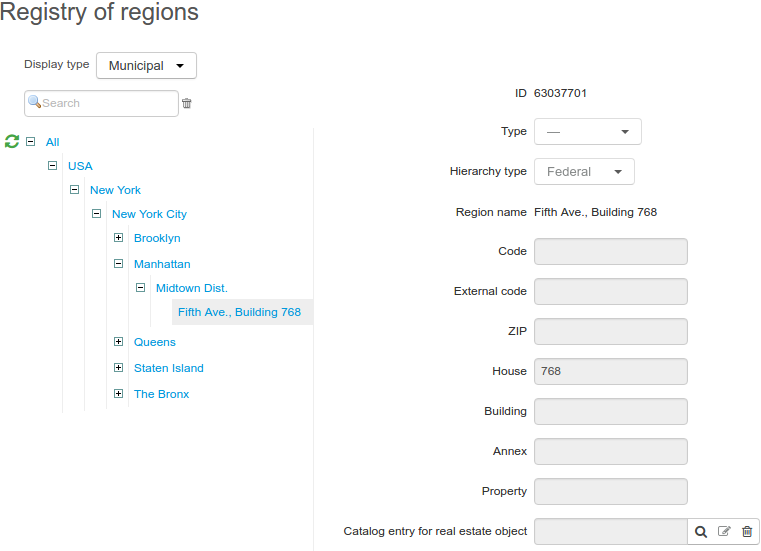
Similarly, other federal regions of the Building type are bound to corresponding municipal regions.
When necessary, you can change any building binding to a municipal region, or delete it on the building page in the federal hierarchy.