How to Restrict Address Assignment
Oftentimes, service providers both of phone and Internet access services specify the range of phone numbers and network addresses to be used as a resource pool when assigning addresses to CPE. For example, when using several PBXs, you need to define the number range for each one, so their numbers can be assigned to customers. Or, in case you need to bind a subnet to a particular building in order to assign IP addresses from it to the customers living there. Depending on the approach to structure CPE, Hydra Billing allows restricting the resource pool and automatic assignment of addresses to CPE by:
All three methods have the same step of specifying allowed range of addresses to a particular object (a network service, a segment object, or a building).
See below the schemes and examples of the abovementioned methods.
Restriction by Specification
The first method is suitable for the approach with CPE as a network service component.
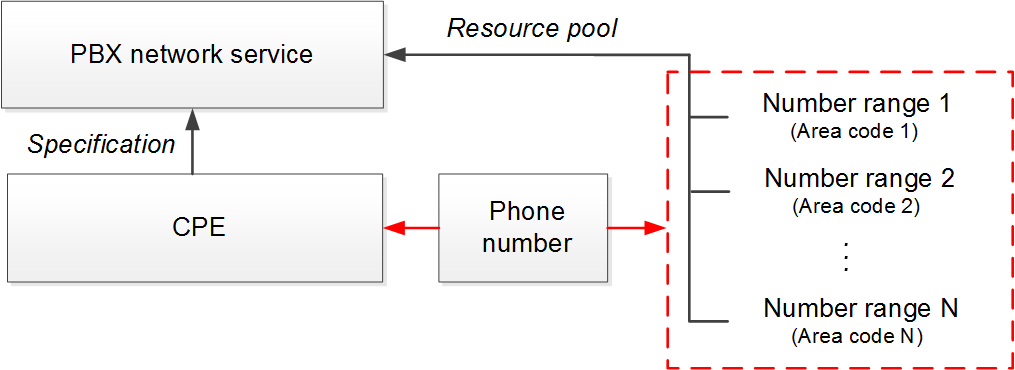
Scheme 17: Restriction by specification
See the example of this method for the restriction of phone numbers assignment.
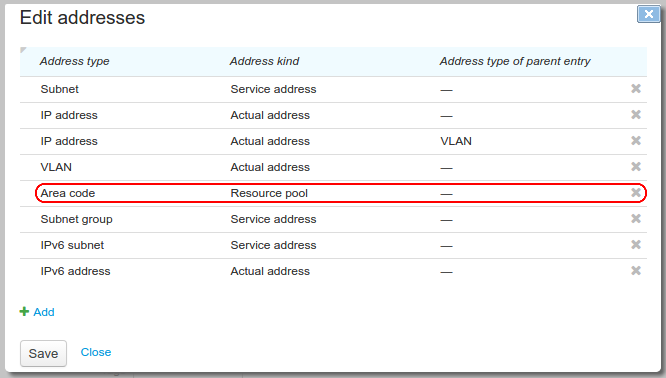
Open the product catalog entry for the PBX network service and in the Addresses section add a row with the Area code type and the Resource pool purpose.
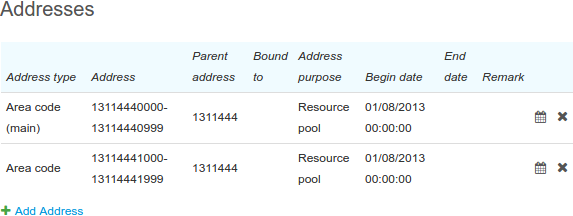
Then open the PBX network service and add permitted area codes in the Addresses section using the Area code type and Resource pool purpose.
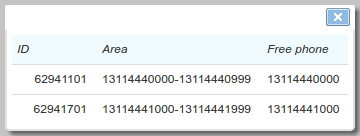
When adding a phone number to a PBX component, you should use  in the Area box, and then the system automatically suggests one vacant number from each of the permitted areas.
Restriction by Bindings Between Objects
The second method is suitable for the approach with CPE as an individual equipment (IPoE, for example).
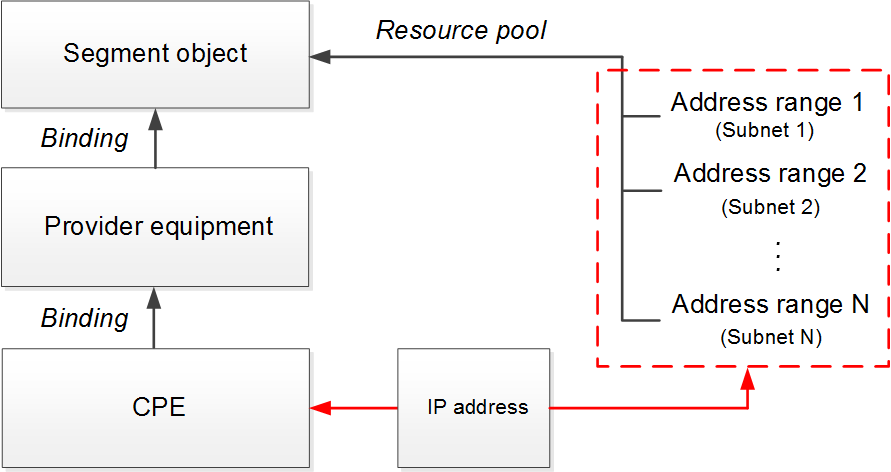
Scheme 18: Restriction by bindings between objects
Open the product catalog entry from the Material assets section and in the Addresses section add a row with the Subnet type and the Resource pool purpose.
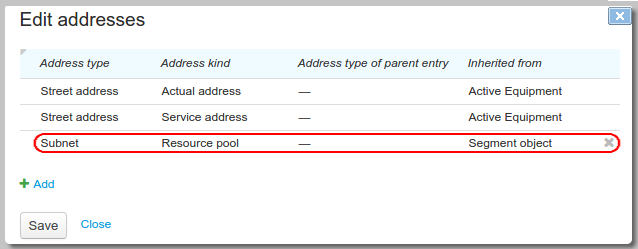
Based on this entry, create an object to represent a segment of your network (Segment object), and for it specify the permitted subnets in the Addresses section.

This method uses bindings between the provider's and the customer's equipment via components. In the example below, see Port #1 of the CPE bound to the switch port SW-21-36 with the binding of the Network connection type.
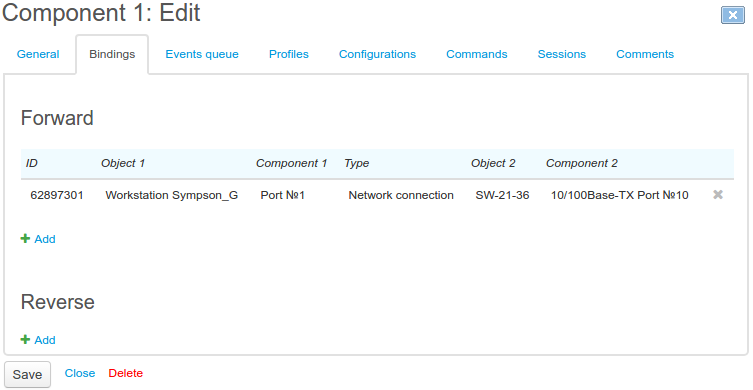
To restrict assigning addresses to the CPE Workstation Sympson_G, the abovementioned switch should be bound directly to the segment object.
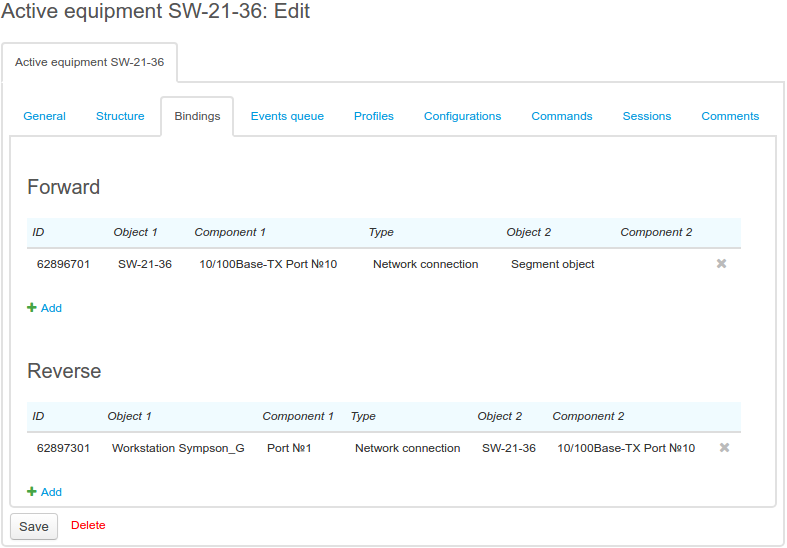
You should note that the CPE must have a direct binding to the provider's equipment, which, in turn, must have a direct binding to a segment object.
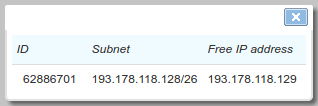
When adding an address to a CPE component, you should use in the Subnet box to see vacant IP addresses. The system then suggests one smallest vacant IP address from each of the subnets, if there are any.
Restriction by Service Address
The third method is a modification of the second one, and is used when the network segment is matched with a certain building, so there no need to bind multiple pieces of equipment. For each building, the system has a defined real estate object, and for it you add permitted subnets or subnet groups.
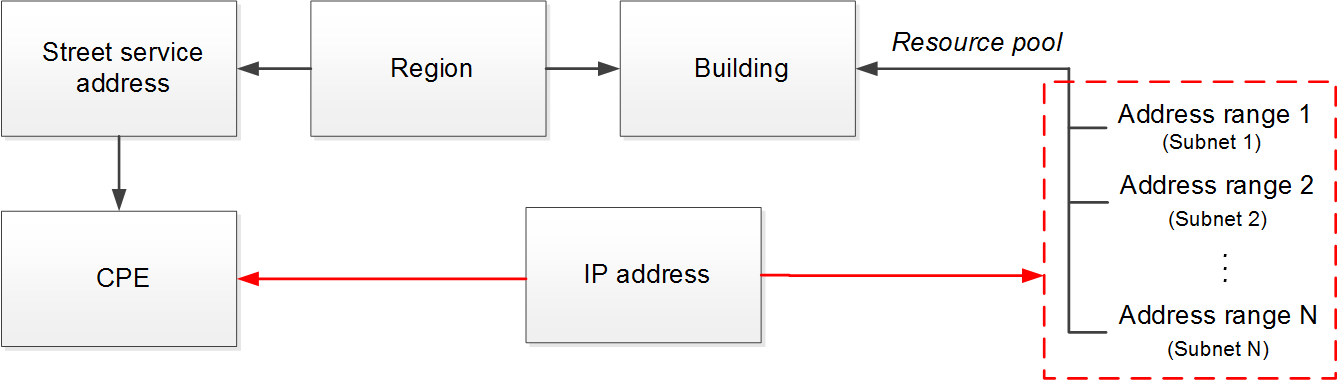
Scheme 19: Restriction by service address
Open the Building entry from the Realty section of the product catalog. In the Addresses section add a row with the Subnet type and the Resource pool purpose.
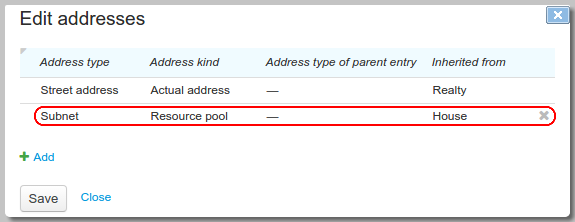
On the page of the real estate object (building), that corresponds to the network segment, add permitted subnets.

For the CPE from the network segment, you should add the street service address, with its region the same as the region of the real estate object.
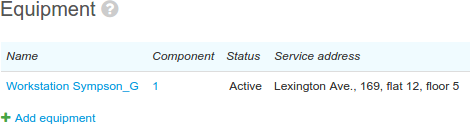
Then use in the Subnet box when adding an IP address to a CPE component. The system will suggest one smallest vacant address from the permitted subnets and from each of child subnets, if there are any in the registry of IP subnets.
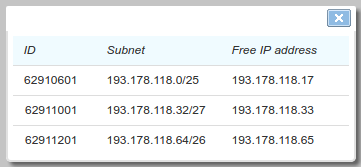
If the permitted range does not have any more added vacant addresses, the system automatically suggests adding a new one. If all possible addresses are taken, no variant is suggested. In this case, you should add a new permitted subnet for assigning addresses.
Hydra Billing allows using multiple methods of restriction for assigning addresses, which can be applied at the same time.