Registering an Organization
To add a new organization:
-
on the Master Data menu click
 next to Organizations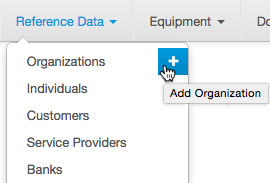
-
or on the Master Data menu click Organizations to open the Registry of organizations, then click
 Add on the right.
Enter the details for the new organization.
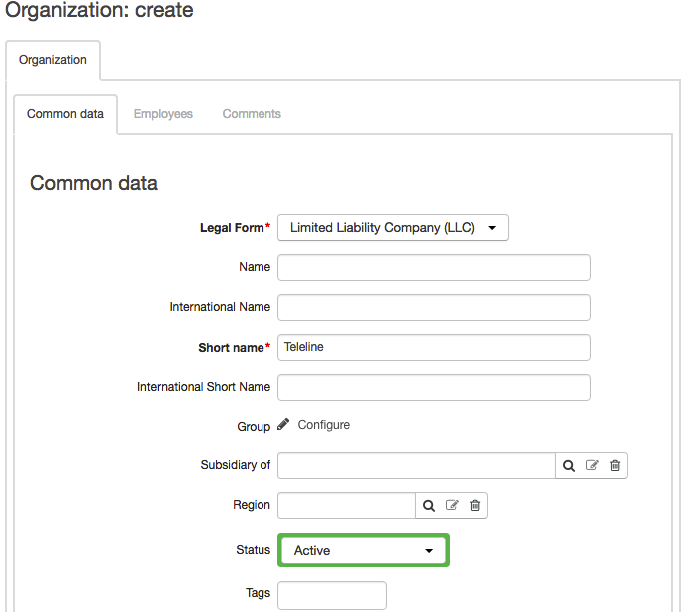
In the General section, type the organization's legal form and its full and short names (including international variations). Specify the grouр of the organization and choose the region where the organization is located.
If the organization is a subsidiary of the other organization, enter this organization in Subsidiary of.

In Details, you can add the following:
-
Tax ID;
-
Special client code.
To add comments about an organization, click Write in the Other section. If you want to hide comments, click Hide.
To complete the process of creating an organization, click Add. Now you can specify the organization's addresses and accounts.