Creating and Customizing Product Catalog Entries
In this section
Creating Price Plans
Create entries for phone price plans in the Price plans section of the product catalog. As a rule, price plans are grouped. For example, there can be groups for individuals and for organizations.
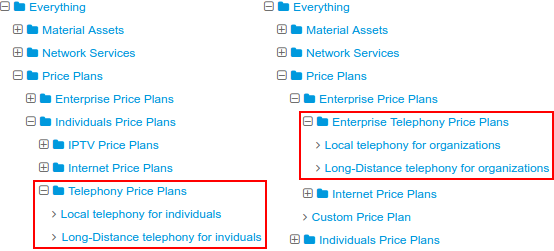
See here the Regional/International for individuals and Regional/International for organizations plans created for the local and long-distance phone services, whereas other plans are for local (grouped by location) and regional phone services.
Another example shows creating groups of price plans by dividing them not according to the types of customers, but to the types of provided services.
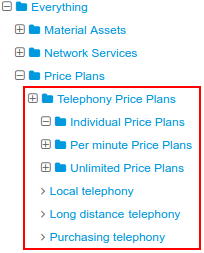
Service providing schemes for price plans depend on the provider, but, as a rule, preset providing schemes should be enough.
Creating Phone Services
Next step is to add basic phone services into the Traffic services group, so that there is a separate service for each type of voice traffic. More often, the following types of traffic are used: local, national, and international.
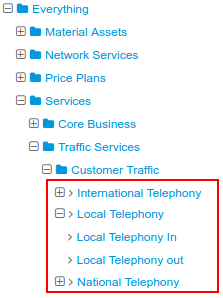
Pay attention, that the basic traffic services you use should be bound to the telephony network service (see below).
You can additionally set necessary recurrent and one-off services (for example, Telephony access, Customer connection, etc.). For example, with the help of the access service, such as Telephony access, and set events you can manage access to service at PBX.
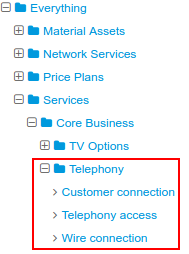
Customizing Entries for Network Services
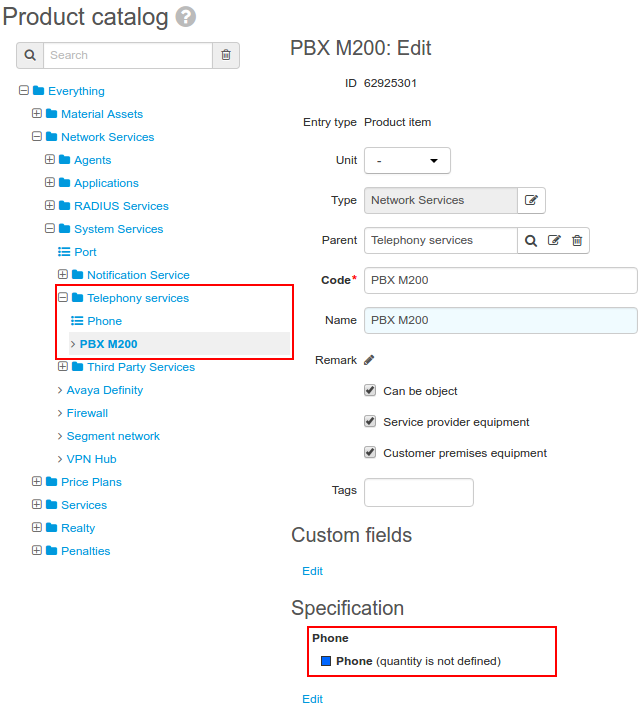
When working with telephony in Hydra Billing, it is typical to use network service component approach to structure CPE. You should create an entry for a telephony network service inside the System service catalog group and define its specification.
In the example below, see the entry PBX M2000 added to the group Telephony services and the Phone specification created for it.
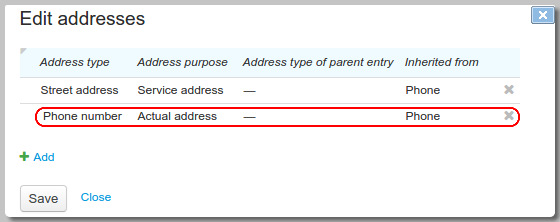
In the Addresses section of the Phone specification item you should add a row with the Phone number type and the Actual address purpose, so you can assign phone numbers to network service components. They will be used to match CPE when rating telephone calls.
On the basis of this entry, you should create and customize the telephony network service.
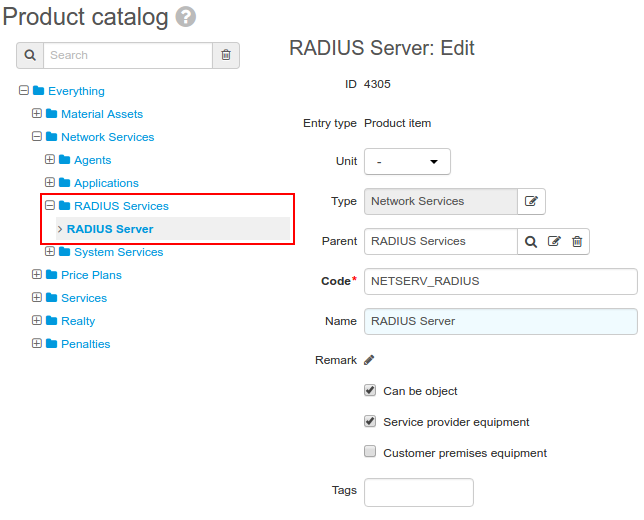
Besides, when online calls rating is going to be used, you should create an entry for a RADIUS service inside the RADIUS services group.