Criteria for Building Reports on Orders
See also
- Orders
- Workflows
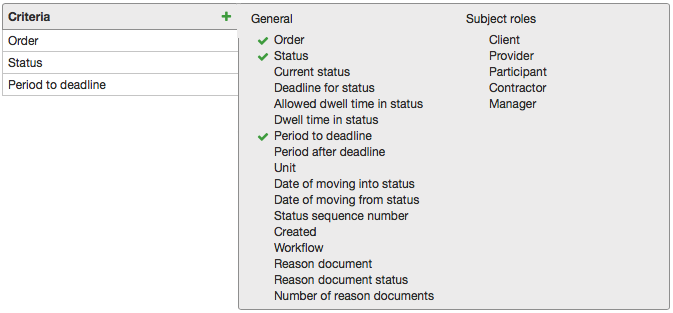
General
-
Order — a documented order.
-
Status — a status which an order had during report period. If an order has already had several statuses, all of them are shown in the result table. When the Current status check box is selected, a status is shown as per the time of the report building.
-
Current status — a status of an order at the time of the report building.
-
Deadline for status — an end date and time of an allowed dwell time in a status.
-
Allowed dwell time in status — maximum allowed dwell time for a status as per the Maximum time column in the workflow Statuses table.
-
Time spent in status — a time an order has spent in a status.
-
Period to deadline — a period of time from a report creation till a deadline for a status.
-
Period after deadline — a period an allowed dwell time is exceeded by.
-
Unit — a unit to measure a dwell time.
-
Date of moving into status — a date and time of an order moving into a status.
-
Date of moving from status — a date and time of an order moving from a status.
-
Status sequence number — a consecutive number of a status an order moved into; a number of a status an order was created in equals 1.
-
Created — a date and time when an order was created.
-
Workflow — a workflow according to which an order is created.
-
Reason document — a service contract an order is based on.
-
Reason document status — a status of a service contract.
-
Number of reason documents — 1, if a reason document is specified in an order, 0 otherwise.
Subject roles
This group contains criteria for subject roles used in all workflows for documents of the Order type.