Creating a Customer
To add a new customer add the role of customer to a particular individual or organization.
Before creating a customer, make sure that the individual or organization is already in the registry. If not, create a new individual or organization.
You can also create customers using orders.
Adding the Role of Customer
Open an individual’s or organization’s page, click  Add role and click Customer.
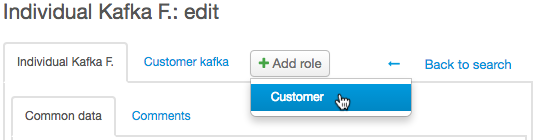
A customer page opens on the new tab.
Customer Page
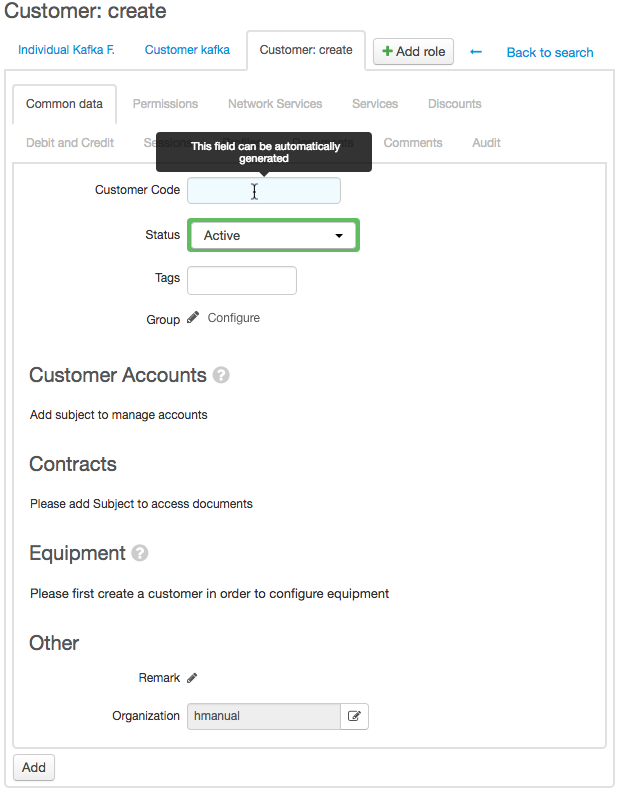
In Code enter the customer’s short name (login). If you leave it empty, the customer will be assigned a code by the autonumberer.
Choose the customer's status, label the customer with the tags and specify the groups the customer belongs to.
Click Add.