How to Correct Missent Payments
To correct a missent payment, follow the steps below. If a payment is registered in the system without a bank statement, simply follow the steps specified for processing a payment order.
Step 1
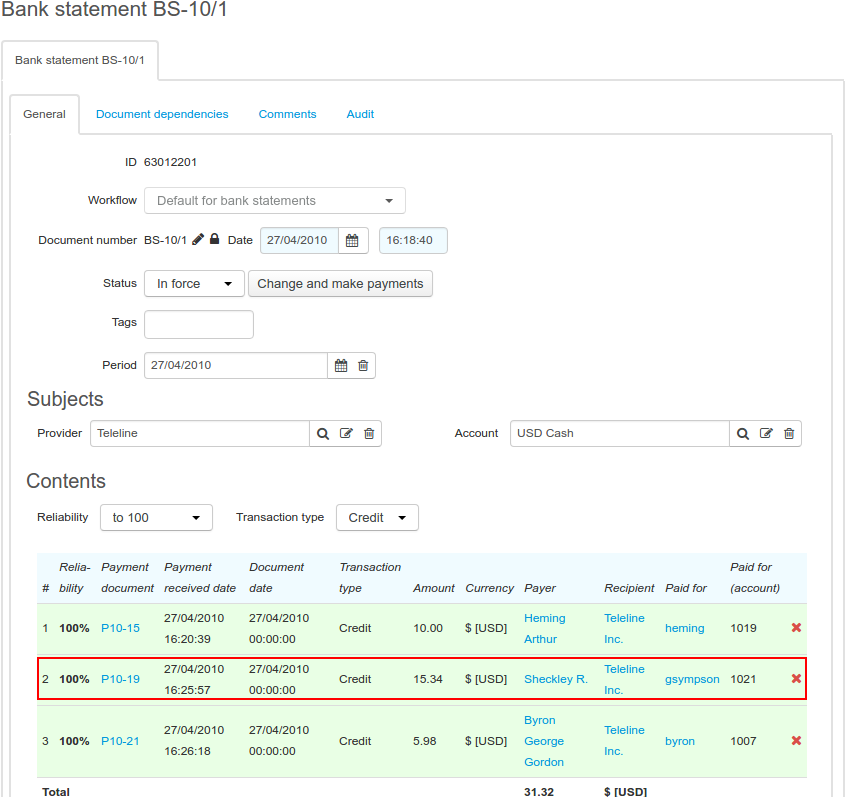
Open the bank statement and search for an improper payment. Click in the corresponding row.
Step 2
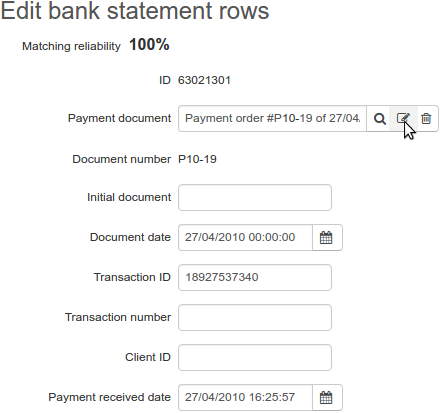
Open the payment order.
Step 3
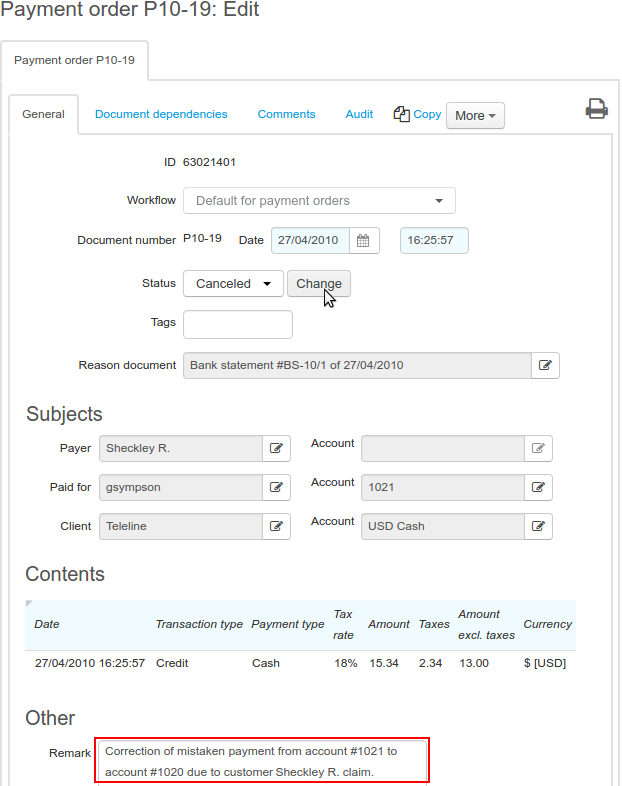
Change the payment order status to Canceled and type a comment explaining the reason for the change.
Step 4
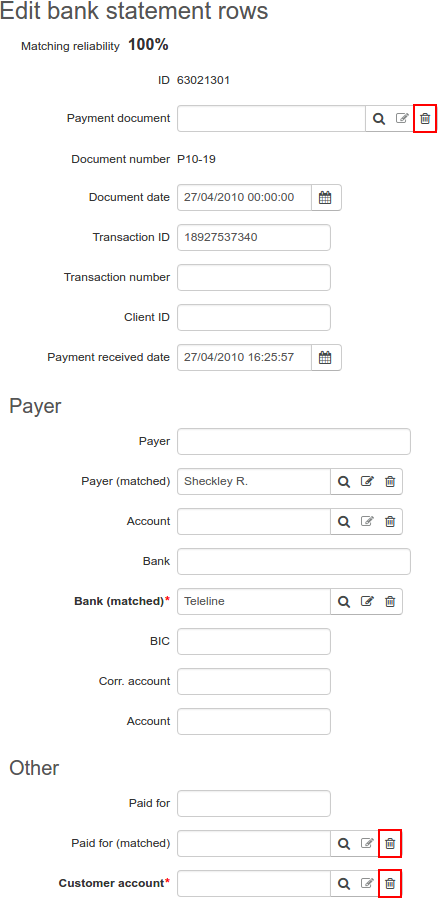
Go back to the bank statement row. Clear Payment document, as well as Paid for (matched) and Account.
Step 5
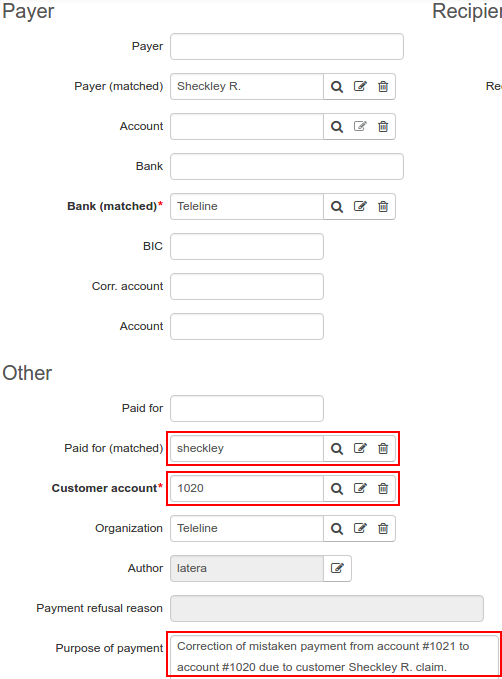
Enter the customer account number in Customer account, so Paid for (matched) is populated automatically. Type the comment as in the step 3. Click Save.
Step 6
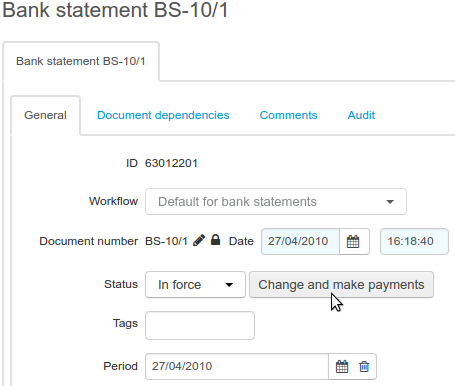
On the bank statement page, click Change and make payments.
Step 7
If the corrections are properly made, the row with the corrected payment order in the bank statement becomes white, otherwise the system informs you about an error, and the payment order row is highlighted in red.
Step 8
Open a customer who has been credited the required amount, and check the customer account balance. Make sure the account balance is topped up with the amount equal to the one in the corrected payment.
Also check the account balance of the customer for whom you have had canceled the improper payment. The balance should be decreased by the amount equal to the one in the corrected payment.
If a customer has a new invoice issued (for example, when the balance before the payment was negative or 0) due to the improperly entered payment, you should plan your further actions as the service provider. It may be possible, that a customer has already used services paid with the mistakenly credited funds; then you need to contact this customer.