How to Set Up Service Priorities
In this section
See also
A service priority is specified in its service providing scheme and is used for issuing charge logs and matching payments with receivables. Priorities are usually used for contract price plans.
By default, all services have an equal priority. It means that if one customer account is used to pay for several services, a customer is to have enough funds for charge logs to be issued for all services that require a sufficient balance.
For example, a customer is subscribed to two price plans: an IPTV Basic for $12 per month with an opportunity of a deferred payment, and an Unlimited 20 for $20, prepaid in the amount equal to one month payment. There is a sum of $4 on the customer account. It is not enough to pay for the prepaid plan, so no charge logs are issued for both services even regardless of the allowed deferred payment for the IPTV Basic.
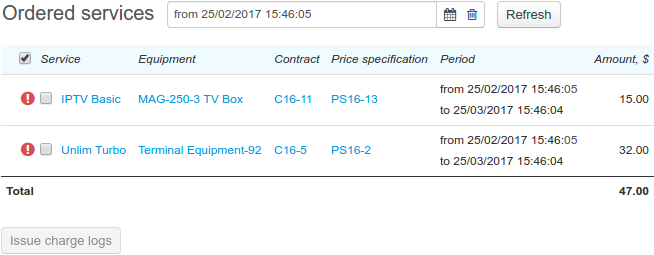
Thus the insufficient funds for at least one service lock issuing charge logs for the rest of the services paid from the same customer account.
When one of the customer's price plans is contract, a delay in issuing a charge log due to the lack of funds may lead to the contract period extension and charging penalties. In addition, contract price plans are typically post-paid, and a customer can start using the service regardless of any available funds at his or her account. At the same time, a customer can leave non-contract services unpaid, so they simply stop being provided.
You can influence the way charge logs are issued in such situations by using service priorities. If you set up a higher priority for the IPTV Basic service, it will be provided regardless of insufficient funds to pay for the second price plan.
Setting Up a Higher Priority
By default, all services have the same priority — Normal.
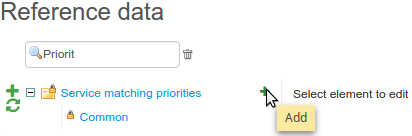
Add a new value in the registry for priorities: open reference data and click  next to the Service priorities registry.
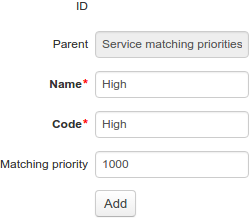
Enter a name and specify a priority value. The bigger the value, the higher the priority. Charge logs for services with higher priorities are issued first. The default Normal priority value is 100.
Create a new service providing scheme for contract price plans and specify a higher priority for it.
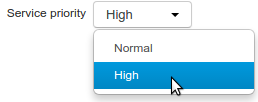
Choose this service providing scheme for contract price plans. Then Hydra Billing will issue charge logs for contract plans even in case a customer account shows insufficient funds to pay for other services with a Normal priority.
Issuing Charge Logs for Services with Various Priorities
When issuing charge logs, Hydra Billing considers priorities only for services with an activation condition of having sufficient balance. Charge logs for services which are provided regardless of available funds can be issued at any time (if there is no suspension in force).
When issuing charge logs, Hydra Billing groups services by priorities. Firstly, it checks if it possible to issue charge logs for all services with the highest priority. Further, if a customer still has available funds, services with a lower priority value are processed, etc.
In the example above, a customer has $4 on the account, and the IPTV Basic price plan has the higher priority and is provided on condition of a deferred payment. Thus, a charge log for this price plan can be issued.
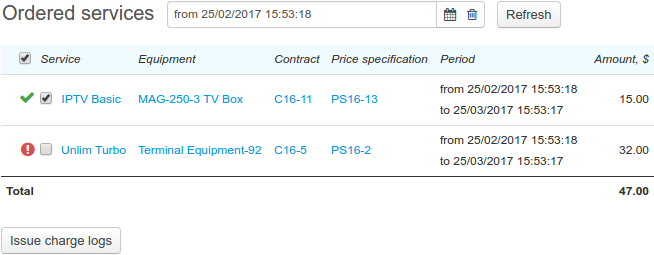
However, a customer has insufficient funds to pay for the Unlimited 20 service, so it remains disabled.