Information About Services
In this section
On the Services tab, you can view detailed information on services currently being provided to the customer, as well as services which will be provided shortly or have already been provided.
The classification of all types of services and their features is given in Concepts and Terms.
Current Services
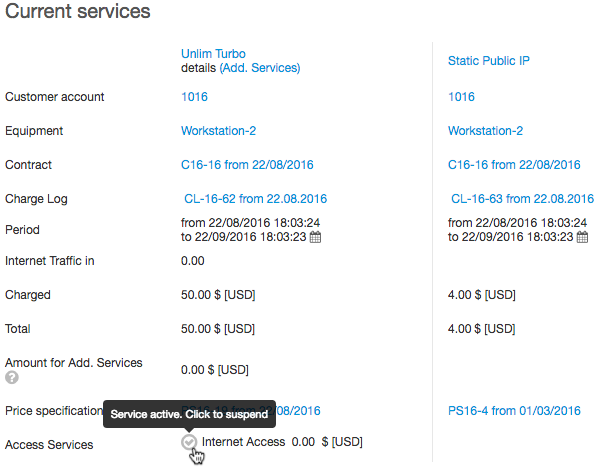
In the Current services section, you can see information about all services currently being provided to the customer.
Within a price plan, all services other than traffic ones are called additional services.
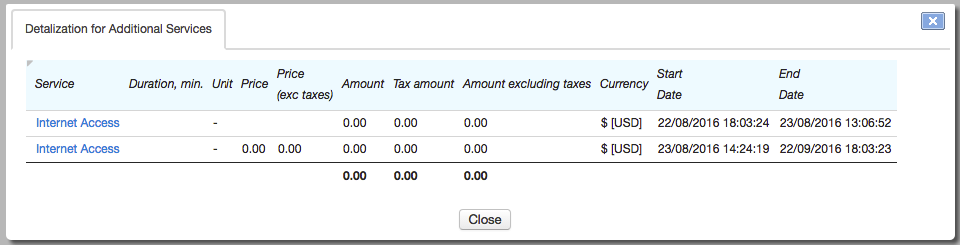
To view detailed information on the use of additional services within the price plan, click Details on additional services.
Charge logs are used to enroll the usage of services. To view a charge log, click its name.
In Period, you can terminate the charge log early. This may be necessary if you need to change a price plan, without waiting for the end date of the current charge log.
The next row after Period contains the total consumption of a particular service, for example, inbound internet traffic, from the begin date of the current billing period to the present moment. The amount includes the traffic that is already in the charge log, as well as the traffic from the operational register that will be added to the charge log when the aggregation period is over.
Enter the service, which consumption is shown, in the Service Provider Console parameters: on the Administration menu, click Parameters, open the Application parameters tab and in Application choose Service Provider Console. Enter the necessary service in Service to show consumption.
In the Charged row, you can see the sum which has been already charged to the customer account.
The Total row shows the cost of the service or price plan for the whole billing period.
In the Amount for services row there is an amount for all additional and traffic services that are not included in the subscription fee, for example, for any traffic above quotas.
Amount for services = Amount for additional services + Amount for traffic services above the quotas.
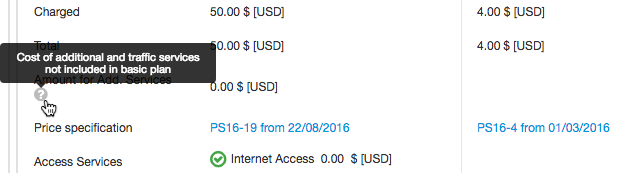
If a price plan has no quotas, the amount for traffic services equals zero.
You can enable or disable access services using and respectively. Thus, you can disable customer access because of a virus or for other reasons. When it happens, charges are made as usual and the customer status does not change, however the service status indicator changes, and events with the Service disabled type (if configured) are triggered for the CPE. The cost of enabling the access service is shown next to it.
Ordered Services
In the Ordered services section you can see services which will soon be provided to the customer, i.e. services which he or she has subscribed to with no charge logs issued yet.
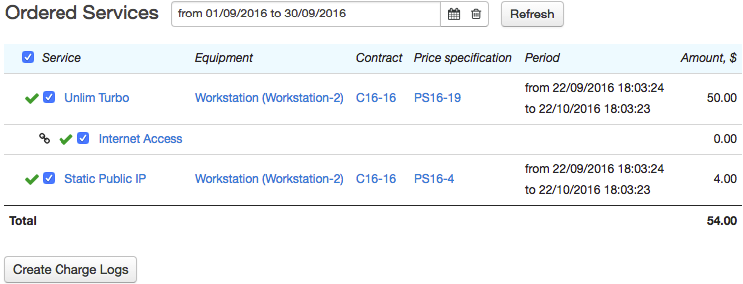
As a rule, charge logs are created automatically by the Preparing charge logs for recurrent services task. To issue charge logs for ordered services instantly, select them and click Issue charge logs.
After that, services are shown the Current services section.
In this section you can also issue a charge log manually: with an earlier or later date.
Provided Services
In this section, you can view the services that have previously been provided to the customer. Enter the time period and click Search.
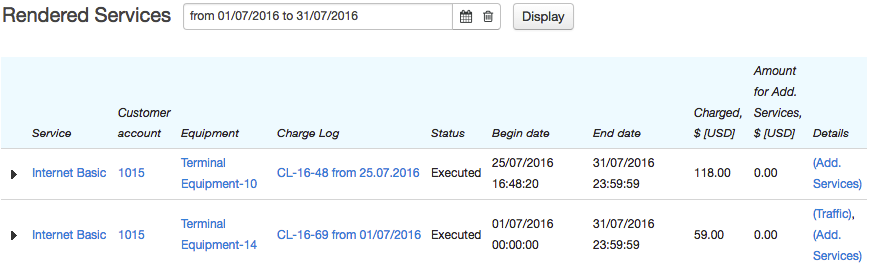
Click on traffic to view details on the traffic usage by date.
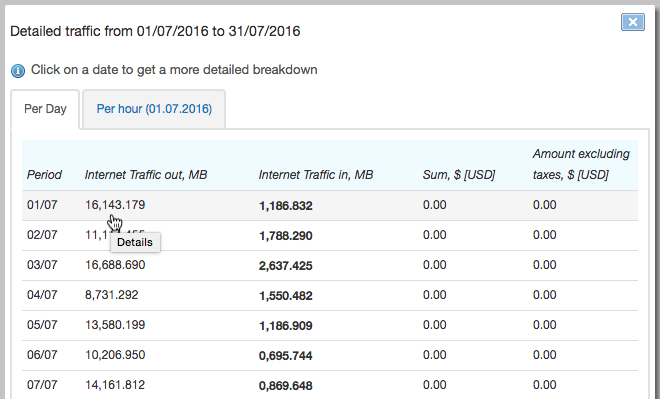
Click the row to view traffic usage by hours. Hourly statistics are not available once the aging period, specified in the service providing scheme, has elapsed.