Creating Objects
In this section
See also
- Network Service Components Approach to Structure CPE
- Customer Equipment
- Network Services
Telephony Network Service
On the basis of a newly added entry inside the product catalog, you create a network service, which components (phones) are regarded as CPE.
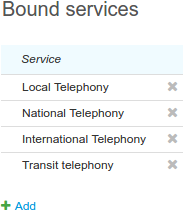
It is necessary to list all basic phone services that are currently used in the Bound services section of the network service.
For phone numbers assignment restriction, in the Addresses section of the telephony network service you should enter the allowed area codes with the Resource pool purpose.
If you use RADUIS protocol, you should also create a corresponding network service (see below) and specify necessary parameters in the Network service management settings section of the telephony network service.
RADIUS Network Service
Hydra Billing supports a pre-authorization and the online rating of completed phone calls using RADIUS protocol. For it, on the basis of the corresponding product catalog entry, the RADIUS network service is created.
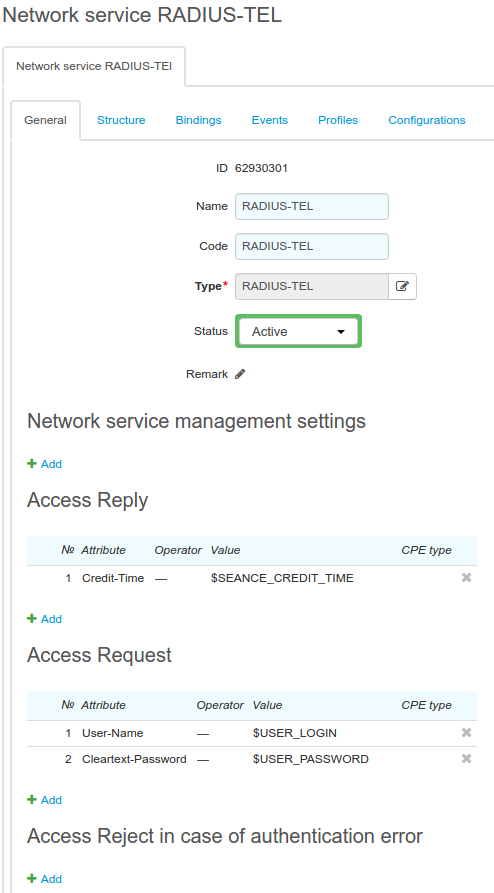
No settings for managing the RADIUS network service are typically specified.
In the Access Request section, you should specify conditions for the RADIUS authorization: when an access request is received, the attribute values are compared with the ones specified in the table. The values in the table can be fixed or you can use substitutes, which values are defined for a particular customer or a piece of CPE. In the example, you see customer authentication by login and password.
Attributes for Access Accept (successful authorization) and Access Reject (authorization is denied) are specified depending on the services providing characteristics (for example, in case the access is granted, the Access Accept message may also contain the permitted call duration).
If the attributes are specified in the Access Reject section, instead of the Access Reject response, there is the Access Accept response sent, containing the attributes specified in the section.
In the Bound services section you can add an access service if necessary (for example, Telephony access), so its status is checked with each customer's authorization. If the access service is off (due to a negative balance, etc.), the customer is denied authorization. If there are several access services, it is obligatory to have at least one of them on.
When RADIUS network service is created and set, add it to Network service management settings section of the telephony network service.
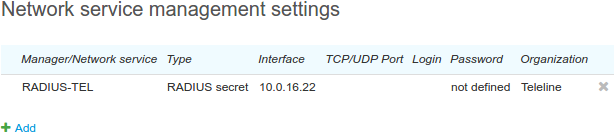
Populate Interface with the address the RADIUS requests are sent from. The address should be already added to the Addresses section on the telephony network service.
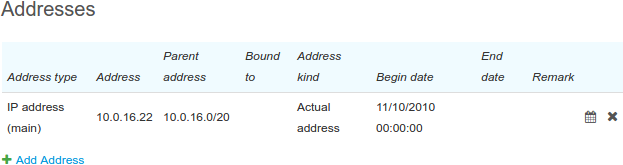
Typically, there is no password specified in the Network service management settings section.
The IP address (the interface) and the password should be specified in the clients.conf FreeRadius configuration file.
Customer Premises Equipment
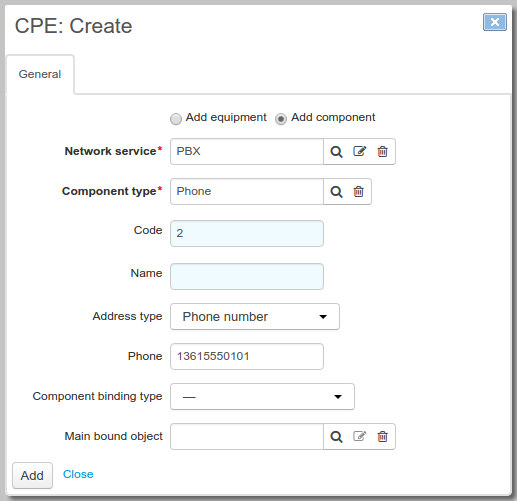
The telephony network service component is added on a customer's page. An address of the Phone number type is assigned to the component. You can either enter it manually or let the system choose the smallest available number in the allowed range.
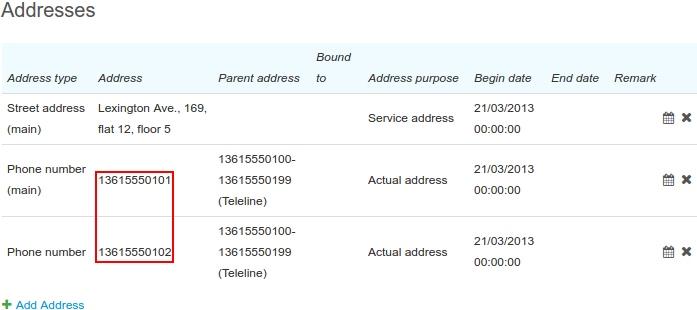
Phone numbers can be edited and added in the Addresses section on the component's page.
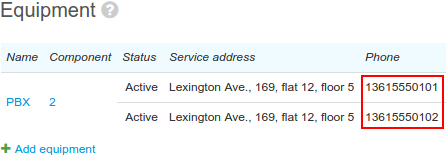
You can see added numbers in the Equipment section of the customer page too.
On the network service Components tab, you can see all created components with added phone numbers. They are owned by customers.
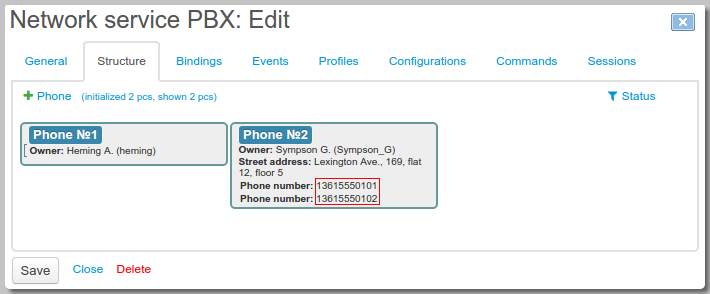
Each phone number created in the system is shown in the registry of area codes.
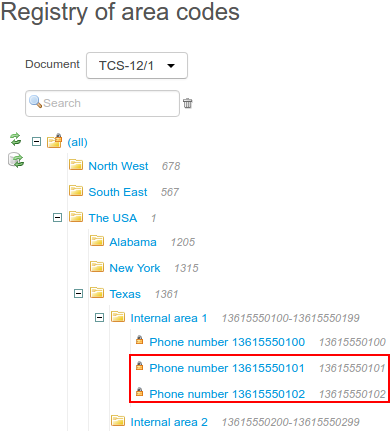
You should check that the customer phone numbers are in the correct area codes in the registry (usually, these are your own areas). Otherwise, there may be rating errors.
Service Providers
For all providers of phone services (i.e. providers with traffic classes specification, including your division) you should populate Termination string on their pages. The Termination string values correspond with Route from initiator and Route to receiver in CDRs, which are filled when loading CDR.