Setting Up Auto Top-up
Follow these steps to make auto top-up available to your customers:
See below an example of setting up auto top-up with PayPal.
Step 1. Create an Organization and a Bank
Add an organization that will represent a payment system in Hydra Billing.
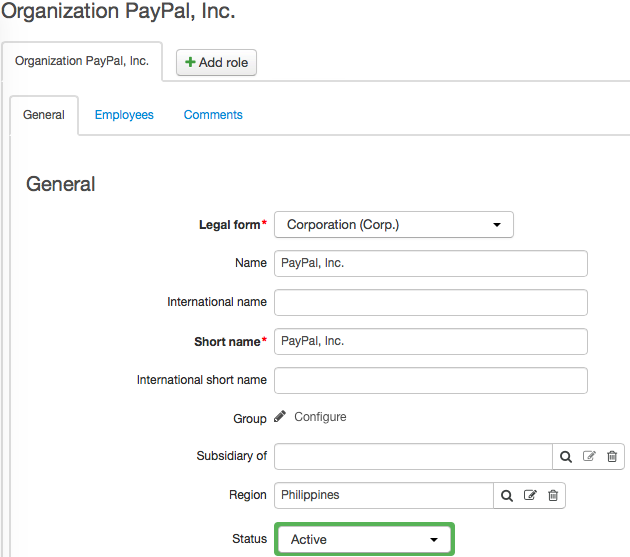
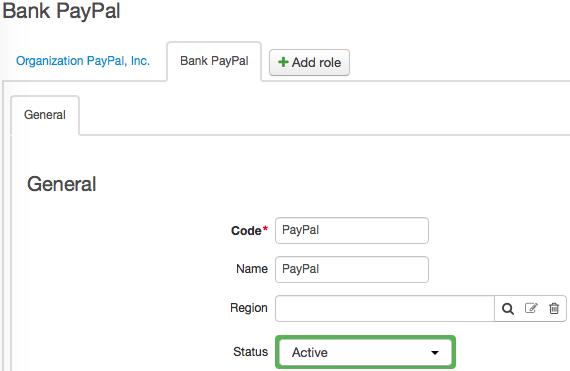
Add a Bank role to this organization. Enter a bank code, for example, a short name for the payment system. Make sure to specify this bank code in the HPD agent configuration file.
Step 2. Create an Account in the Payment System
Open your organization (that corresponds to the current provider). On the General tab, go to the Accounts section and add an account of the Payment system type with the previously created bank.
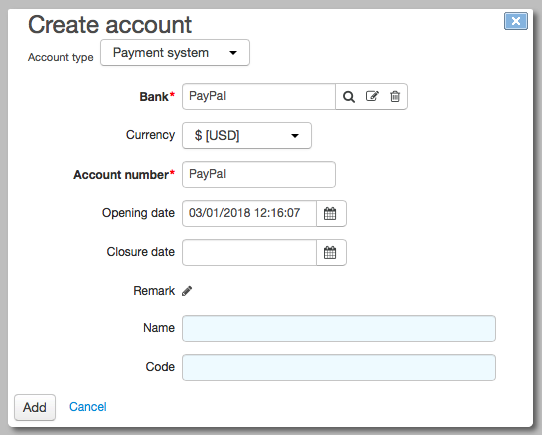
The number of this account is to be added in the HPD agent configuration file.
Step 3. Add a Rule for Creating Payment Requests
On the Administration menu, click Parameters. Go to the Payment requests tab. Add a new rule for creating payment requests.
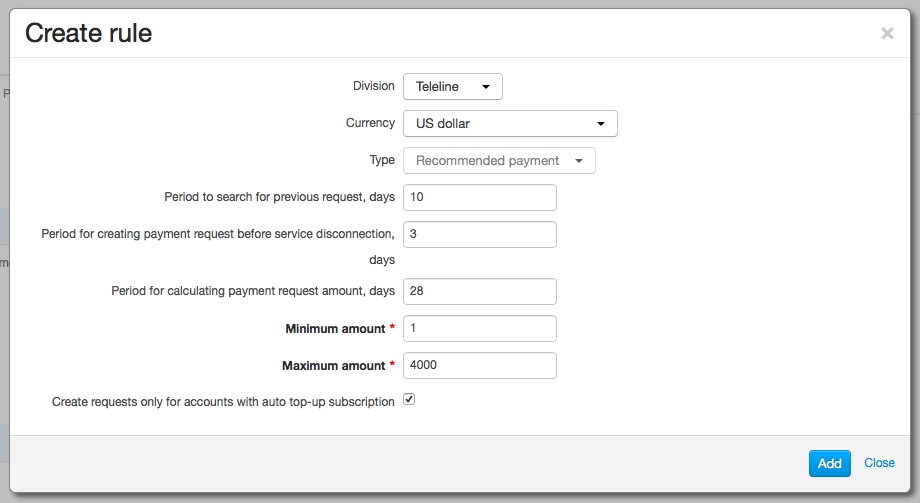
A payment request is created for a USD account on the condition that there are no other pending requests created less than 10 days ago.
A request is created if in the next three days providing services may be suspended (due to: end of a billing period, expiration of a deferred payment, etc.) and a non-zero recommended payment is calculated for the customer account.
When calculating a recommended payment, Hydra considers services that are to be provided to the customer within the next 28 days.
The amount of the payment request cannot be less than $1 and more than $4000. The request is created only if the customer is subscribed to auto top-up.
Step 4. Add a Rule for Creating Autopayments
Add a rule for creating autopayments.
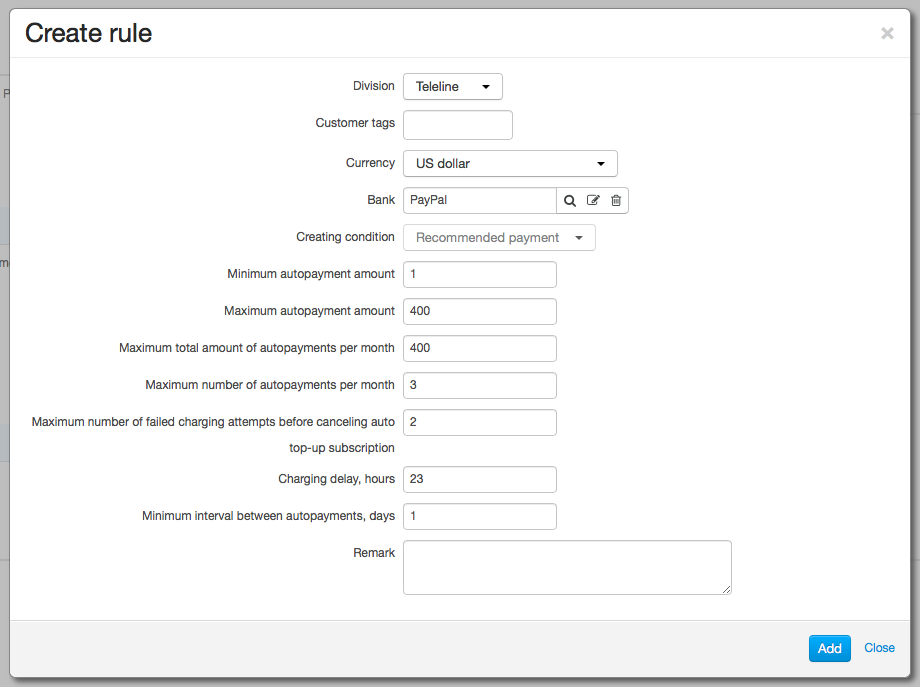
The rule is valid for the PayPal payment system and is applied to all customers as no tags are specified. The condition for creating an autopayment — Recommended payment — corresponds with the payment request type.
Autopayment amounts may vary from $1 to $400. Total amount of all autopayments over 1 month should not exceed $400. During one month no more than 3 autopayments can be created for one account.
After two consequent failed charging attempts a subscription to auto top-up is canceled.
Charging is carried out 23 hours after creating an autopayment. Autopayments for one customer account cannot be created more than once a day.